

At the beginning of this article on obnoxious Facebook hijacker apps (games) and revoking application permissions, I would like to describe the scenario I personally encountered during a minor cybersecurity scare.
One pleasant afternoon, soft daylight was filtering gently through the window.
I was alone in the studio, editing wedding photos with the music turned up, when the phone rang. A neighbor wanted me to come over immediately to fix an electrical appliance. After wrapping up the photo I was editing, I shut off the monitor and stepped out to help.
Facebook Hijacker Applications
Quite a while later, having successfully completed the errand, I rushed back to the studio windblown and dusty. I took a sip of my cold coffee and turned on the monitor to resume work, only to discover the browser displaying the screen shown in Figure 1:
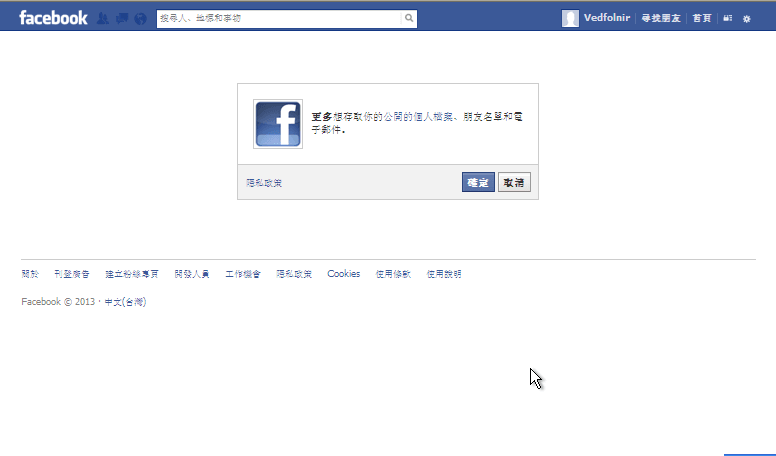
Figure 1: “More” requests access to your public profile, friend list, and email address.
In Figure 1, a pseudo-dialogue window appeared on Facebook. Its avatar used Facebook’s official logo; without looking closely, unsuspecting users might easily mistake it for an official Facebook system prompt.
The dialog only offers two buttons: “Confirm” and “Cancel,” easily prompting uninformed users to click one.
However, what one should actually do here is simply close the browser window or click on the top navigation bar to leave the page. Rather than making a choice inside a trap, it is far wiser to exit the trap entirely.
In truth, I had no recollection of clicking anything before stepping away (I was primarily editing photos and only glanced at Facebook occasionally for messages). Given my normal computing habits, there was zero chance I deliberately triggered such an action.
Yet my computer showed no signs of a remote breach, so I could only guess my mouse was bumped inadvertently as I stood up.
“More”!? Looking closely at Figure 1, we see the word “More” in bold at the start of the descriptive copy—which is typically where the “FB Application Name” is positioned.
Clearly, the intent behind this dialogue box was tainted from the start.
If you click Confirm, the app takes you to another dialog box, where the avatar and app name reuse the deceptive tactics mentioned above.
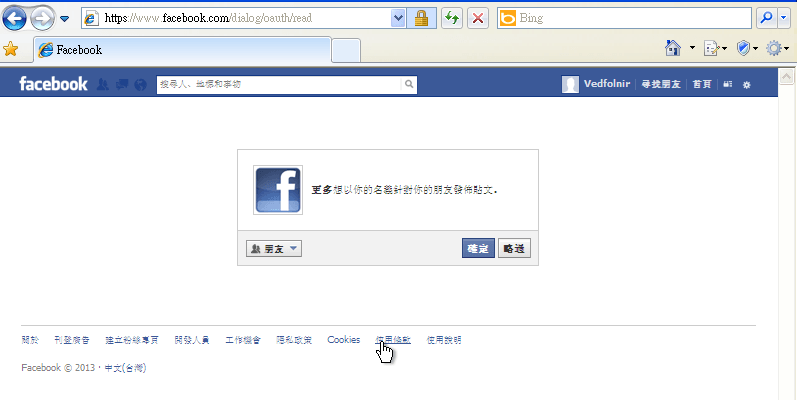
Figure 2: “More” wants permission to publish posts to your friends on your behalf.
The dialog in Figure 1 requested the right to read personal data, whereas Figure 2 aims to secure the permission to post articles to friends in your name.
Clicking Confirm once more strips away the mystery behind this bogus dialog: it redirects your browser to an external site, as shown in Figure 3.
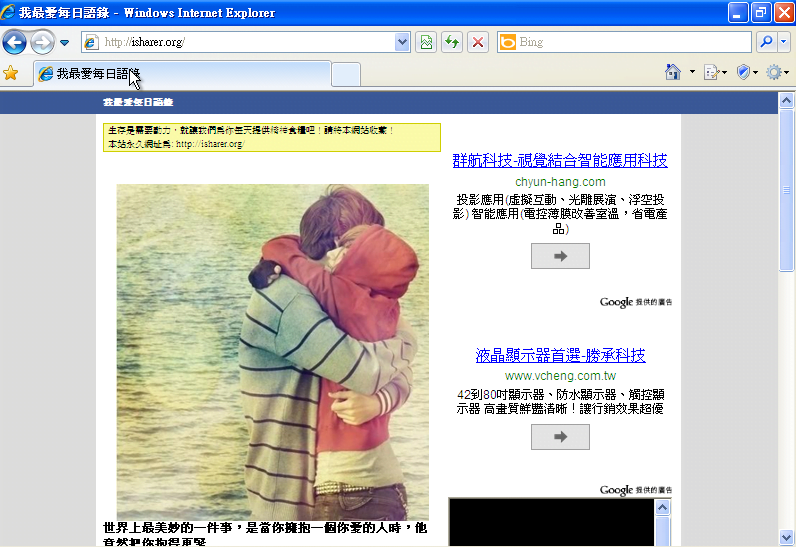
Figure 3: A site hosted on the malicious domain isharer (dot) org.
Such websites usually feature only extremely flimsy content.
Whois Information of the Malicious Site
Checking the registrant record of the domain reveals:
- Domain Name: isharer.org
- Registrant ID: CR140704425
- Registrant Name: Fan Fong Lam
- Registrant Street1: 2/F, Hing Tin Street, Tseung Kwan O
- Registrant Country: HK
- Registrant Phone: +852.29483928
- Registrant Email: [email protected]
- Admin ID: CR140704427
- Admin Name: Fan Fong Lam
As shown on the site in Figure 3, it displays an unsourced stock photo, a slice of sappy sentimental quote prose (the very phenomenon that prompted our earlier post, Lonely Chaos: New-Age Groaning Without Sickness—Famous Quotes or Utter Nonsense?), and an ad layout where advertising text vastly outnumbers genuine content.
Did you imagine this app existed merely to send you to a spammy, ad-laden landing page?
Things are never that straightforward. Let’s keep exploring.
The Hijacking Flow of Malicious Web Games
Referring to Figure 4, I discovered a new promotional email in my inbox. Even without opening the message, we can immediately spot Facebook’s app URL “http://apps.facebook.com/…”. Whenever you see emails like this, delete them right away—don’t even bother opening them.

Figure 4: Promotional email.
In Figure 5 below, for testing and illustration purposes, I opened the email.
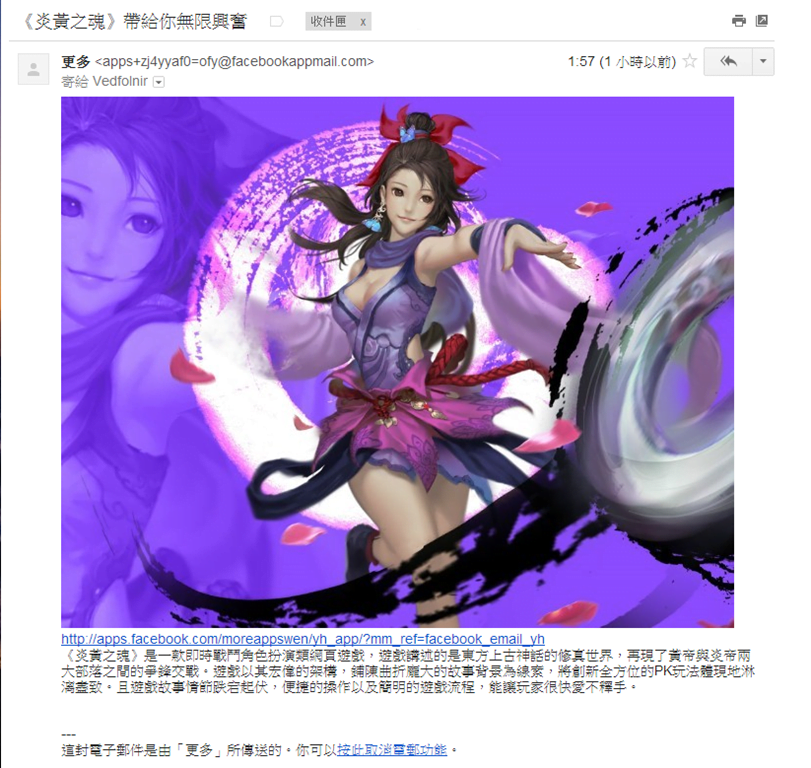
Figure 5: Promotional email for an MMORPG browser game.
The sender name was once again “More.” The content included a gaming still, game blurbs, a Facebook app URL, and unsubscribe instructions.
Let’s look at the unsubscribe directive.
At the bottom of this promotional email, there is an instruction: “Click here to cancel email notifications.” Setting aside the distinct Mainland phrasing, let’s test if this function actually works.
Let’s verify whether it successfully cancels email transmissions.
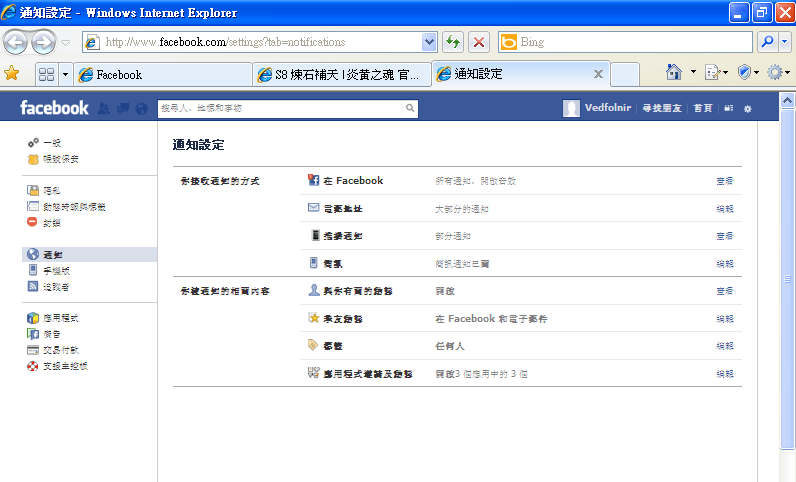
Figure 6: Facebook notification settings.
Frankly, it’s impossible to tell if anything was canceled. The link merely redirects back to standard account settings without further confirmation or notification of what was altered. While keywords resembling “block” appeared in the URL, evaluating by outcome yields nothing verifiable.
Referring to Figure 7, clicking the link in the aforementioned email redirects back to Facebook, this time showing an invite to a game application with a recognizable name.
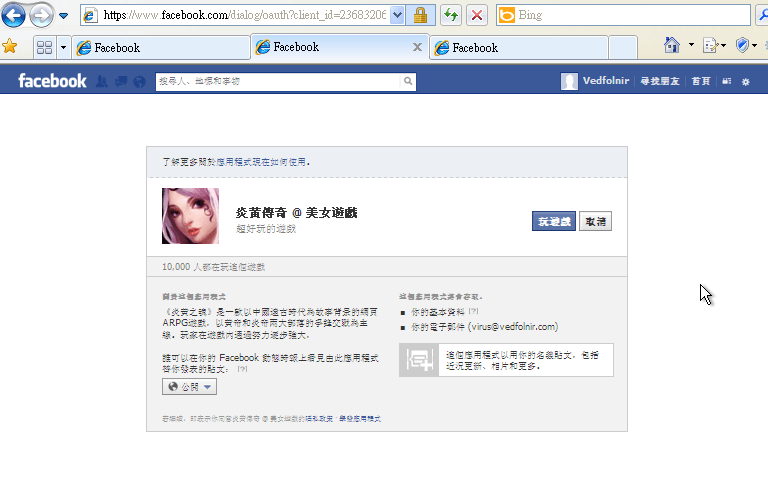
Figure 7: An online game delivered through Facebook’s invitation system.
Once we confirm to play the game, as shown in Figure 8, the app redirects us yet again to an external website: “http://yh.funima…”. The web page contains virtually nothing—just a bare-bones shell.
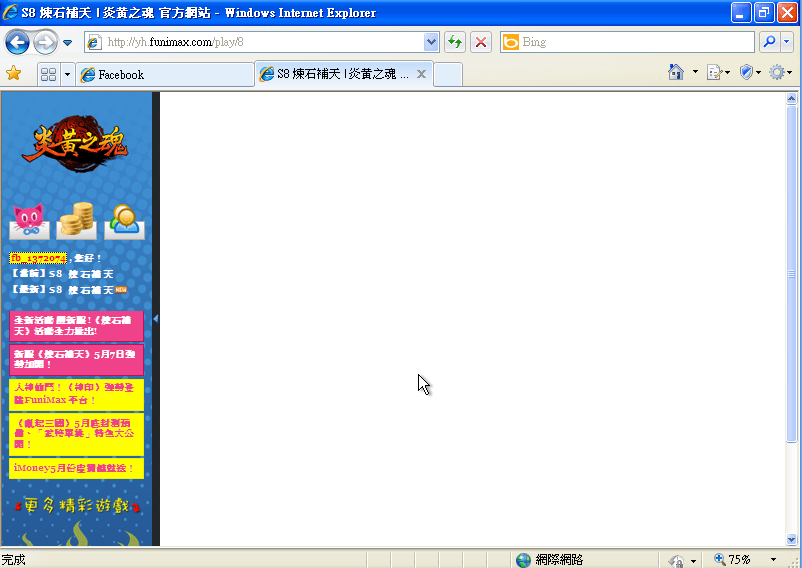
Figure 8: A content-free browser game page.
Looking at the profile on the left of Figure 8, we find the game app has already auto-generated a linked game account for our Facebook credentials: fb_xxxxxx. Judging from the subdomain preceding this website’s domain, this appears to be a dedicated gateway for an affiliate agency hired by the game developer. As long as these affiliates funnel users into the game, they pocket kickbacks.
Referring to Figure 9, I received a verification email.
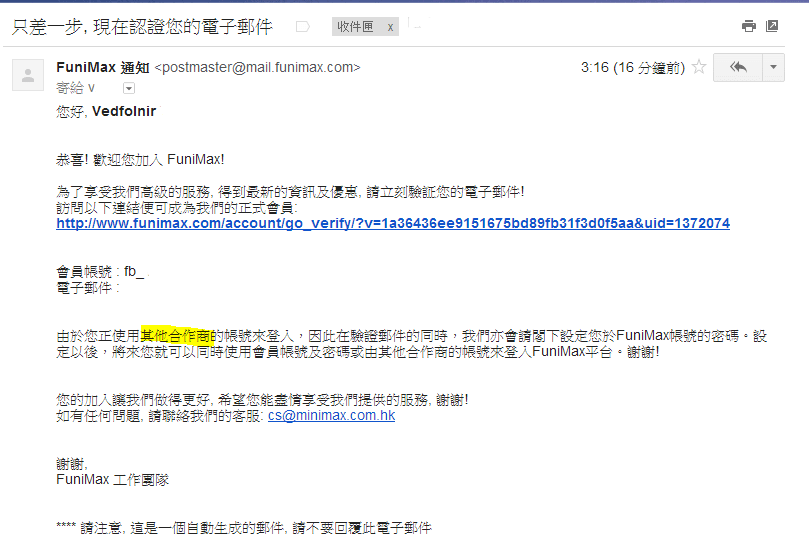
Figure 9: Verification email for the web game, laden with bizarre phrasing.
Following the instructions in the email, I received a confirmation of successful registration, shown in Figure 10.

Figure 10: Registration success notification.
Inside Figure 9’s email, one sentence reads: “Since you are logging in with an account from another affiliate partner,” which corroborates my theory regarding affiliate channel traps. From the beginning of this article up to this moment, beyond getting trapped by an adware mechanism, we hadn’t even created a proper gaming account yet. The spam tool not only earns affiliate bounty fees, but also monetizes through the display ads mentioned earlier.
Note: The original draft was penned in May, but I forgot to finalize it. Returning to complete it recently, I found the website still runs the identical monetization playbook—except instead of Chinese sentiment quotes, it has switched to English. And its Alexa ranking actually beats mine! Ahhh.
After completing the game registration above, no further surprises occur on that front: the gaming studio ultimately wants you to buy in-game items. Whether you like it or not is your call. However, the residual menace of that adware application was still brewing. Let’s look further.
Scam Tactics of Malicious Applications
Looking back, the initial draft of this piece was May 8th. Today is May 15th—exactly one week later.
Refer to Figure 11: on my personal Facebook Timeline, I spotted a sponsored post and image shared by that very test account.

Figure 11: Hijacking behavior featuring unauthorized automatic ad posting.
Since my initial test seven days prior, that temporary test account was never used for any action, nor had I even logged into it. Yet seven days later, the application autonomously hijacked the test account to publish an ad post visible even to my primary account.
This proved that publishing privileges for my test account were hijacked by the adware developer (the game’s affiliate agent). Logging into the test account revealed that it had published two spam posts within a single hour!
Clicking either “More” or the image in that new post redirects us to yet another Facebook page, shown in Figure 12.
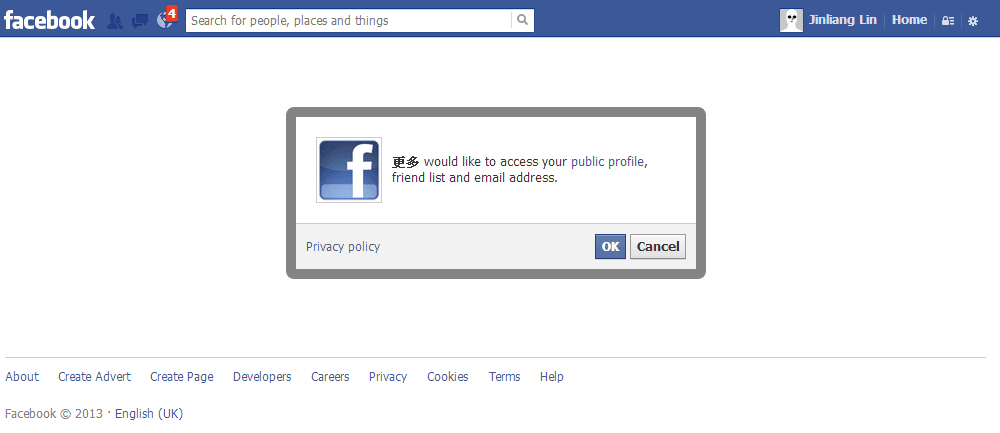
Figure 12: Hijacking triggered by spam links.
Does Figure 12 look familiar?
Figure 12 is virtually identical to the spoofed page in Figure 1.
In other words, the trap enters a self-perpetuating loop.
Please remember: whenever you encounter this kind of disguised page, leave immediately.
How to Solve Facebook Publishing Hijacking Caused by Scam Apps
Referring to Figure 13, inside Facebook’s Account Settings menu, you will find an option called “Apps.”
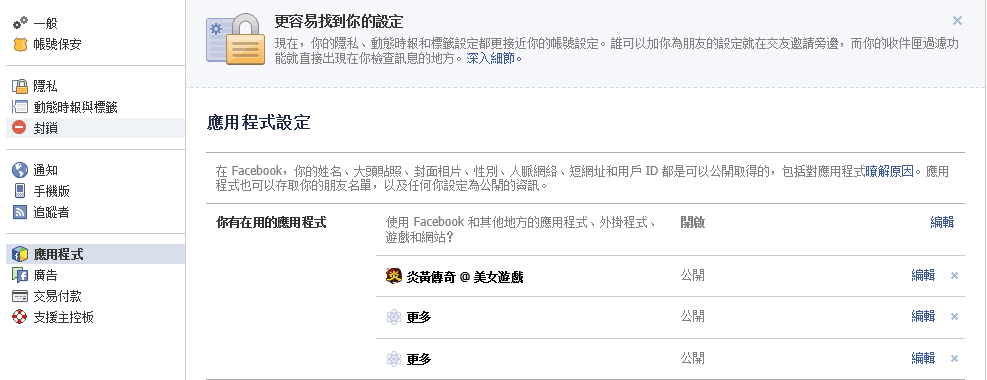
Figure 13: Facebook Application Settings.
On the Apps page, you can inspect how many applications are linked to your Facebook account—whether developed officially by Facebook, legitimate third parties, or malicious scammers.
In Figure 13, we see three apps attached to the test account: the newly registered “game app” and two instances of “More.” All of them originated from the steps shown in Figure 1. For all these apps, I have only one piece of advice: delete every single one of them! Give your Facebook a clean and secure environment.
Support Independent Perspectives & In-Depth Insights
Every thoughtful analysis and candid critique comes from our dedication to truth and quality. We choose not to follow sensational algorithms or clickbait headlines.
Sustaining independent research requires reader support. Make a one-time or monthly contribution, securely processed by Google.
Payments secured by Google · Manage or cancel anytime in your Google Account




Comments