

Twitter, as one of the most popular social platforms in the world, has become an online corner favored by many antisocial personalities and perverts due to its easy-to-set-up anonymous accounts and its very loose content moderation mechanism.
Fortunately, Twitter provides a method for manually setting up filtering of harmful and spam articles, called “mute.”
This mechanism allows us to mute tweets containing specific text, phrases, usernames, emojis, or hashtags. Or to put it another way: block, shield, hide, disappear, make it vanish.
Afterward, the system will remove these tweets we don’t want to see from the APP’s “Notifications” tab, push notifications, text messages, email notifications, the home timeline, and tweet replies, protecting you and your children from spam content.
How to Manually Set Up the Twitter Mute Function
Step one: at the top right of the Twitter APP screen, there is a star 🌟 symbol. Tap to open it and you will see “Content preferences” (as shown in figure 1, item 2 below).
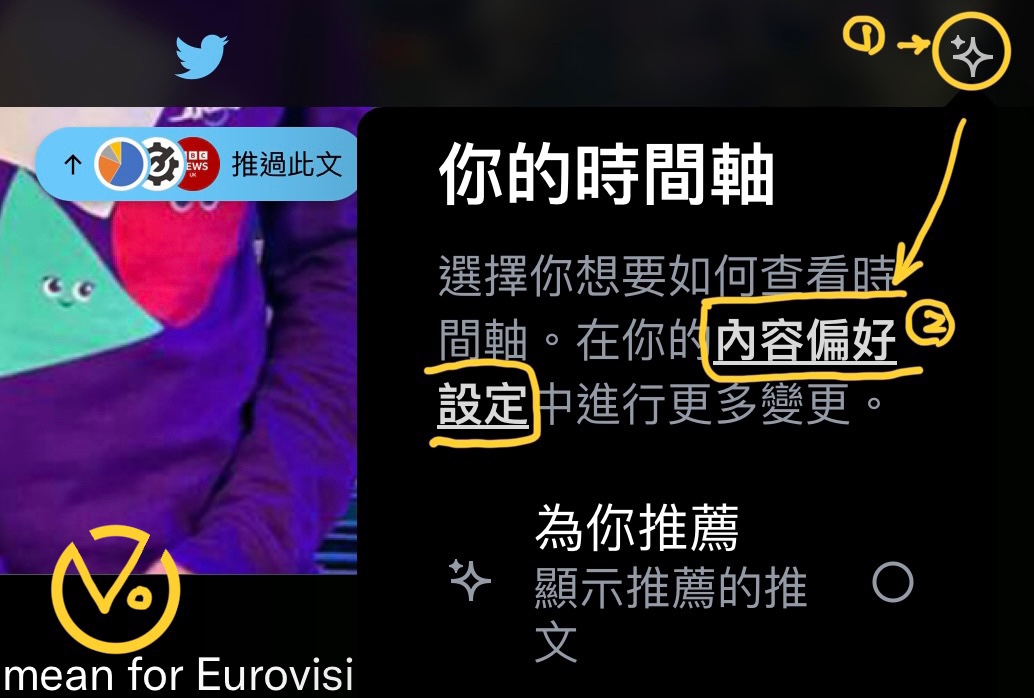
Figure 1, Content preferences.
Step two: after opening Content preferences, you can see the “Muted” option as shown in figure 2, item 3 below.
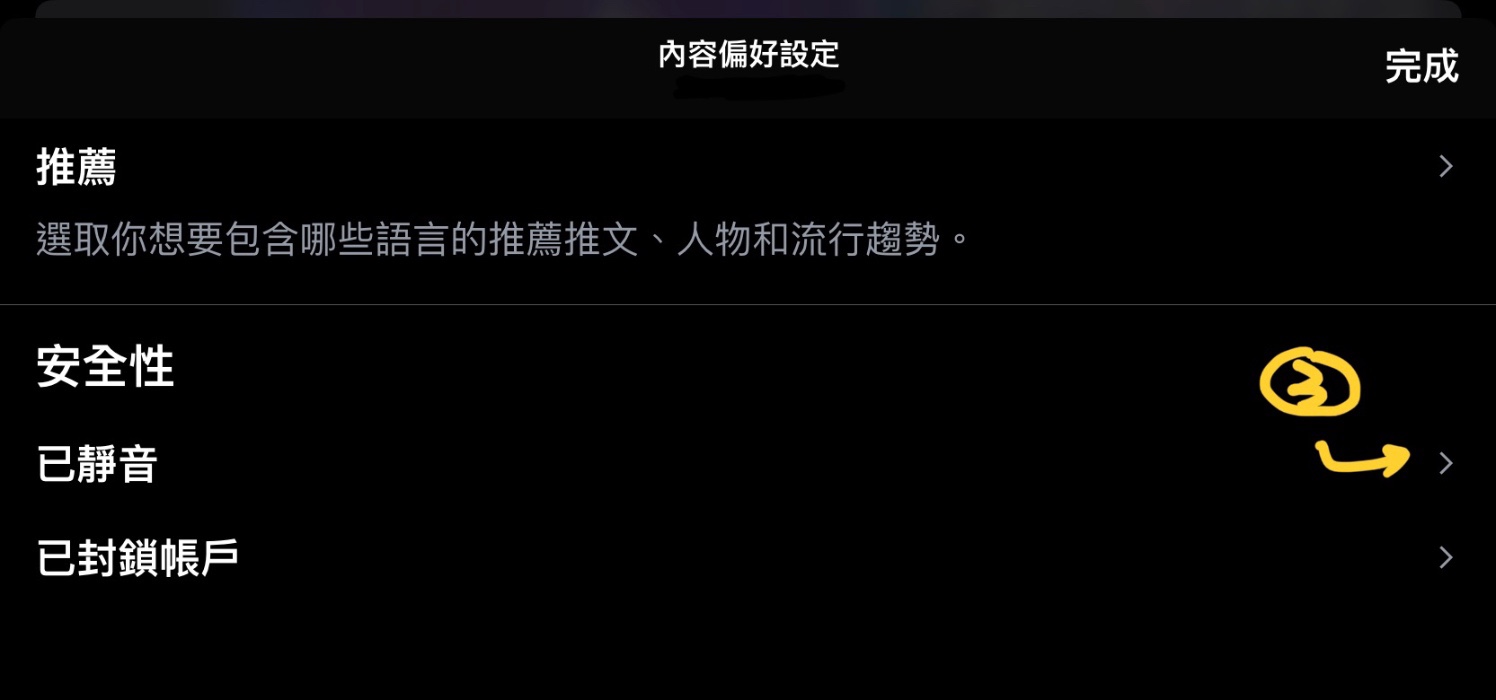
Figure 2, Safety settings.
Step three: after tapping the Muted option, the “Muted words” shown in figure 3, item 4 below will appear.
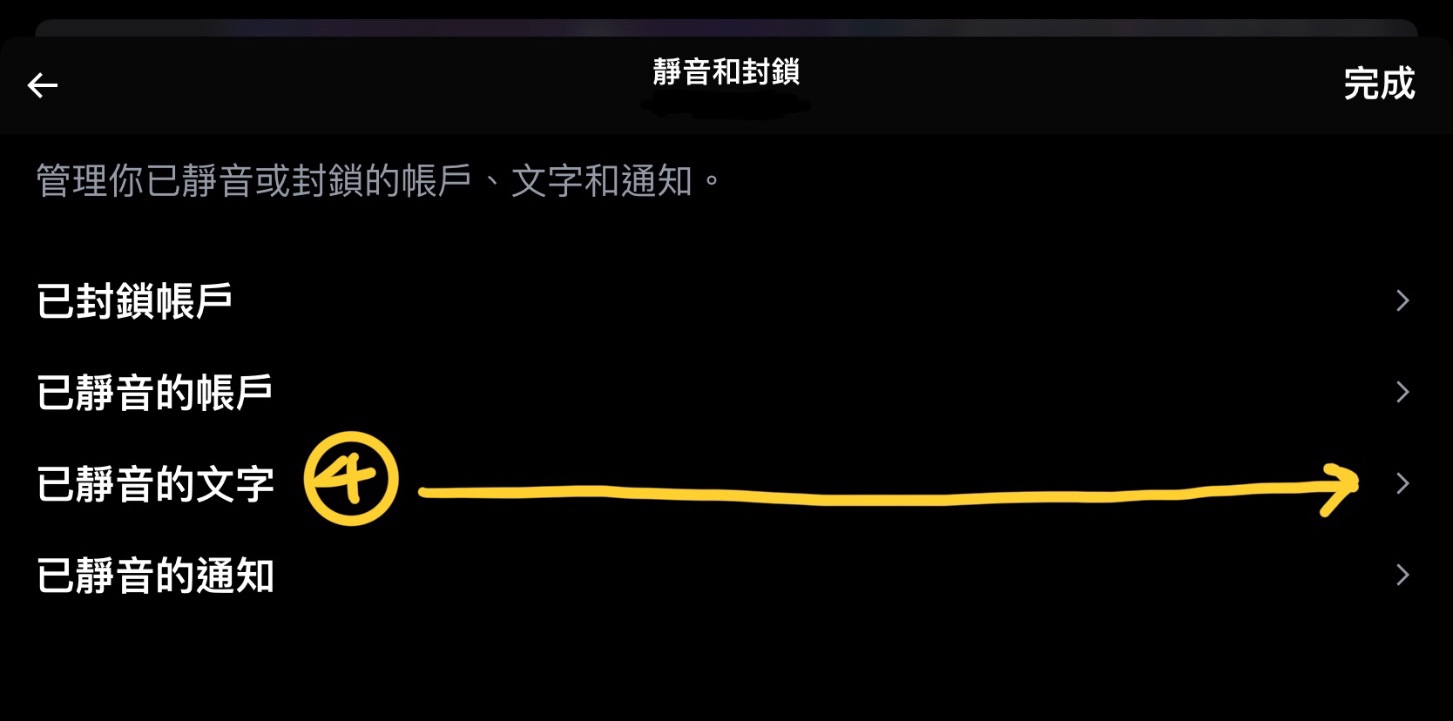
Figure 3, Mute and block.
Step four: after entering the Muted words option, the “Add” button shown in figure 4, item 5 below will appear.
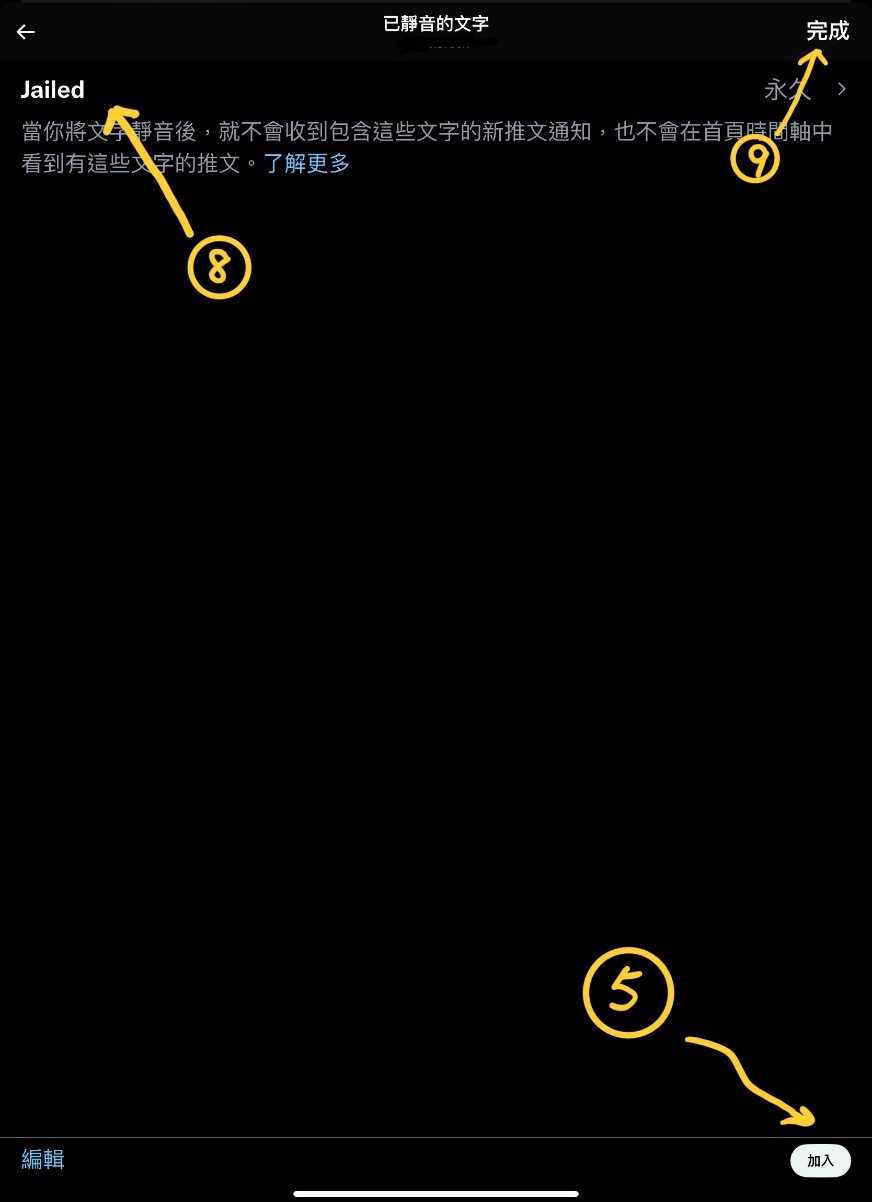
Figure 4, Muted words.
Step five: after tapping the Add button, the “Add muted word” screen shown in figure 5 below will appear. At this point, you can manually enter the words you want to hide at the position of figure 5, item 6, so that any future posts on Twitter using that word will be automatically muted!
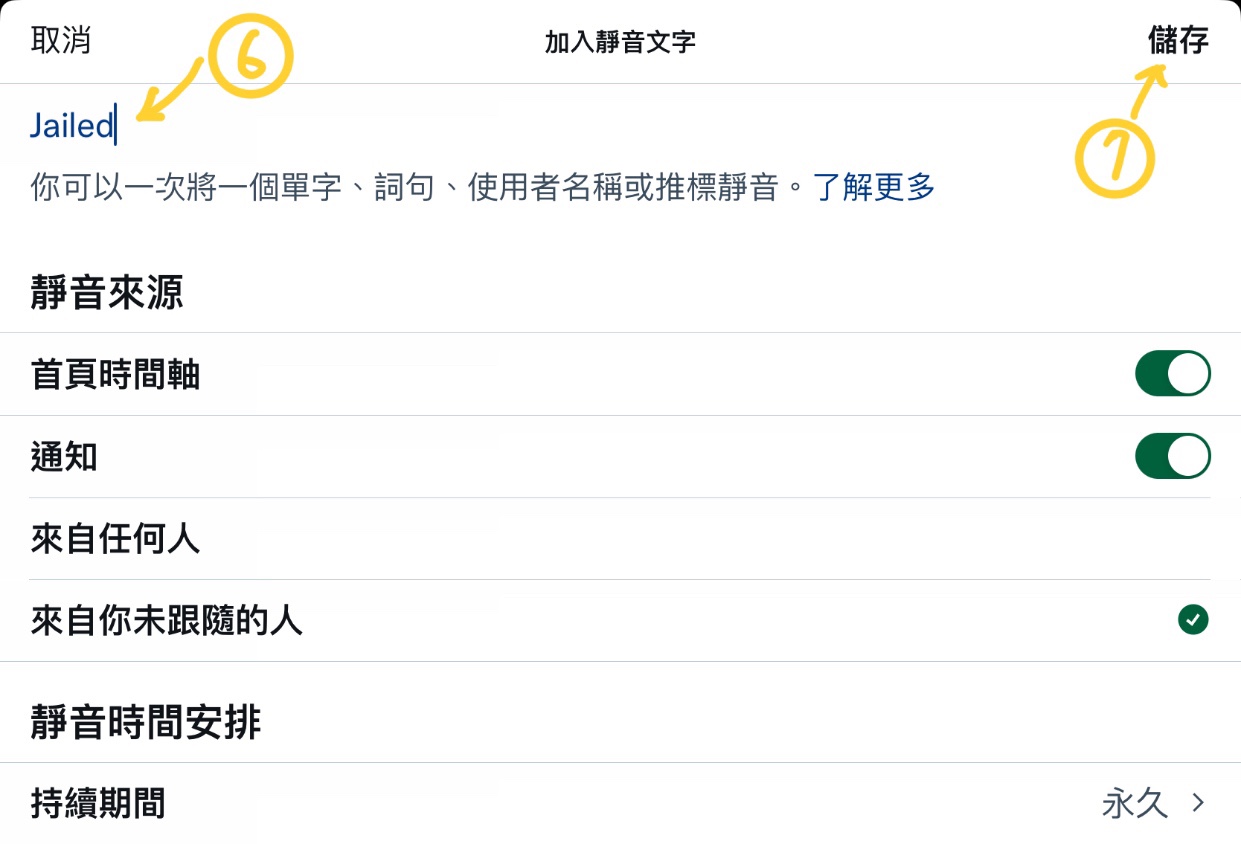
Figure 5, Add muted word.
Please also refer to figure 4. Each banned word we add to the blacklist will be displayed one by one at the position of figure 4, item 8, making it convenient for us to organize quickly in the future.
Note: Muting of words and hashtags only applies to notifications and the home timeline. Users can still see tweets related to muted words through search.
Support Independent Perspectives & In-Depth Insights
Every thoughtful analysis and candid critique comes from our dedication to truth and quality. We choose not to follow sensational algorithms or clickbait headlines.
Sustaining independent research requires reader support. Make a one-time or monthly contribution, securely processed by Google.
Payments secured by Google · Manage or cancel anytime in your Google Account




Comments