
Bank of Taiwan is currently the oldest and most reputable bank in the Republic of China (ROC). Even the late industrialist Y.C. Wang relied on connections with Bank of Taiwan when founding Formosa Plastics Group in the early days.
Securities businesses under Bank of Taiwan are handled by Bank of Taiwan Securities (BOT Securities). In past years, the biggest complaint about this brokerage was that their legacy website’s certificate authentication and real-time quotes/ordering system never supported browsers other than Microsoft Internet Explorer. This caused no small amount of headache for Apple Mac / MacBook users on macOS / OS X. Fortunately, right before the Year of the Rooster arrived, they finally addressed this long-standing issue.
Starting January 13, 2017, in response to modern browser trends and to provide a more convenient and comprehensive trading environment, Bank of Taiwan Securities launched the newly designed “Certificate e-Manager” and an “HTML5” version of the real-time quotes and trading interface. This allows modern browsers such as Google Chrome and Mozilla Firefox to perform digital certificate signing and execute real-time orders.
With Bank of Taiwan Securities’ legacy version, when using non-IE browsers, users could still log into the management console of the electronic trading system (as shown in Figure 1 below), but could not display real-time quote feeds properly.
The reason was that the web development vendor hired by Bank of Taiwan Securities built the program solely on Microsoft’s Silverlight platform, which was only supported on the increasingly obsolete Internet Explorer.
Therefore, after rebuilding the web interface with HTML5, it finally supports Google Chrome, Firefox, and even legacy Microsoft Internet Explorer.
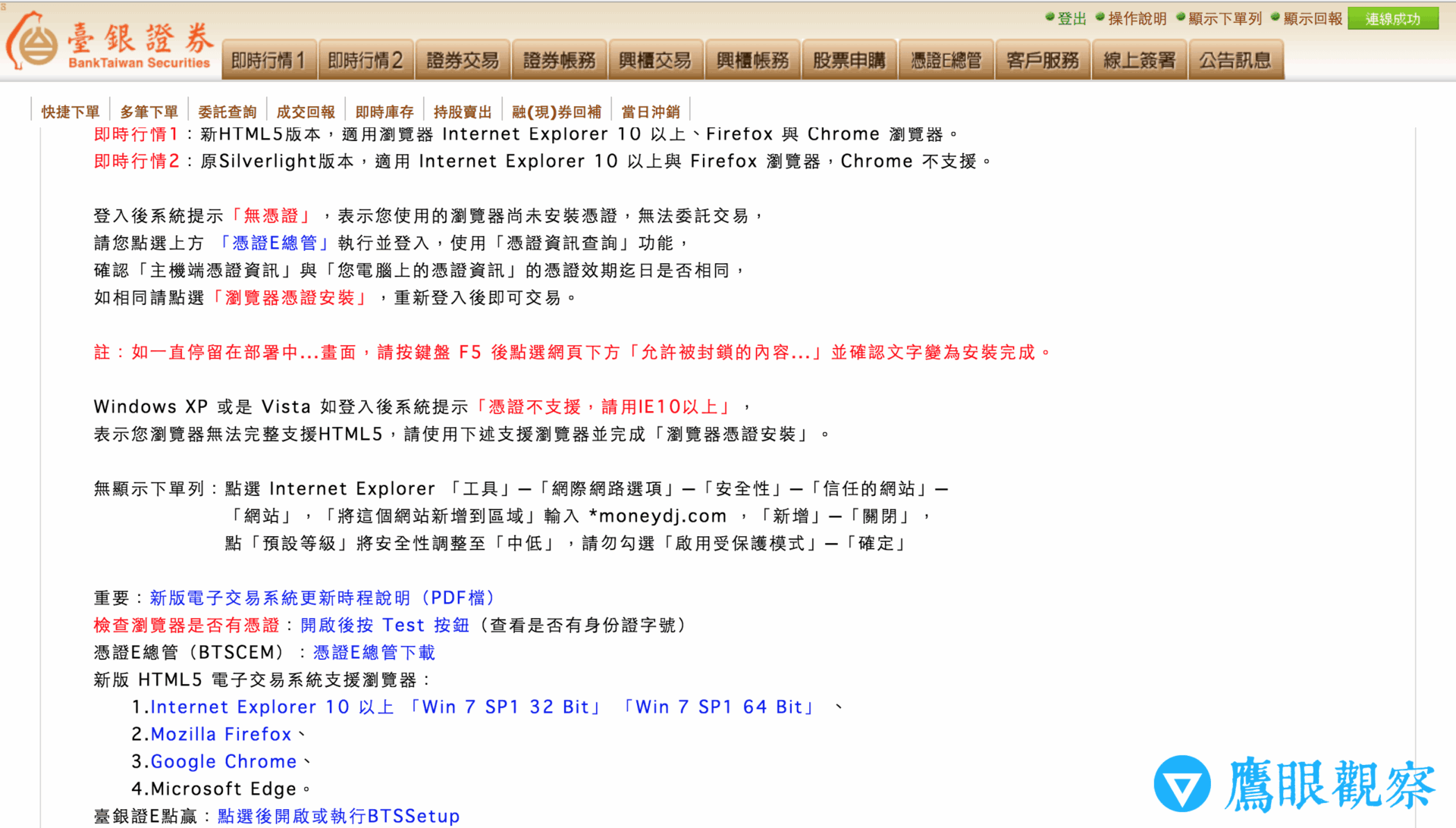 Figure 1: Management backend interface of Bank of Taiwan Securities electronic trading system.
Next, let’s walk through how to install and operate Bank of Taiwan Securities’ newly designed certificate software and real-time web trading system.
First, log into the Bank of Taiwan Securities electronic trading system portal 1. The login screen is identical to the legacy version; you can log in using your brokerage account number or national ID number.
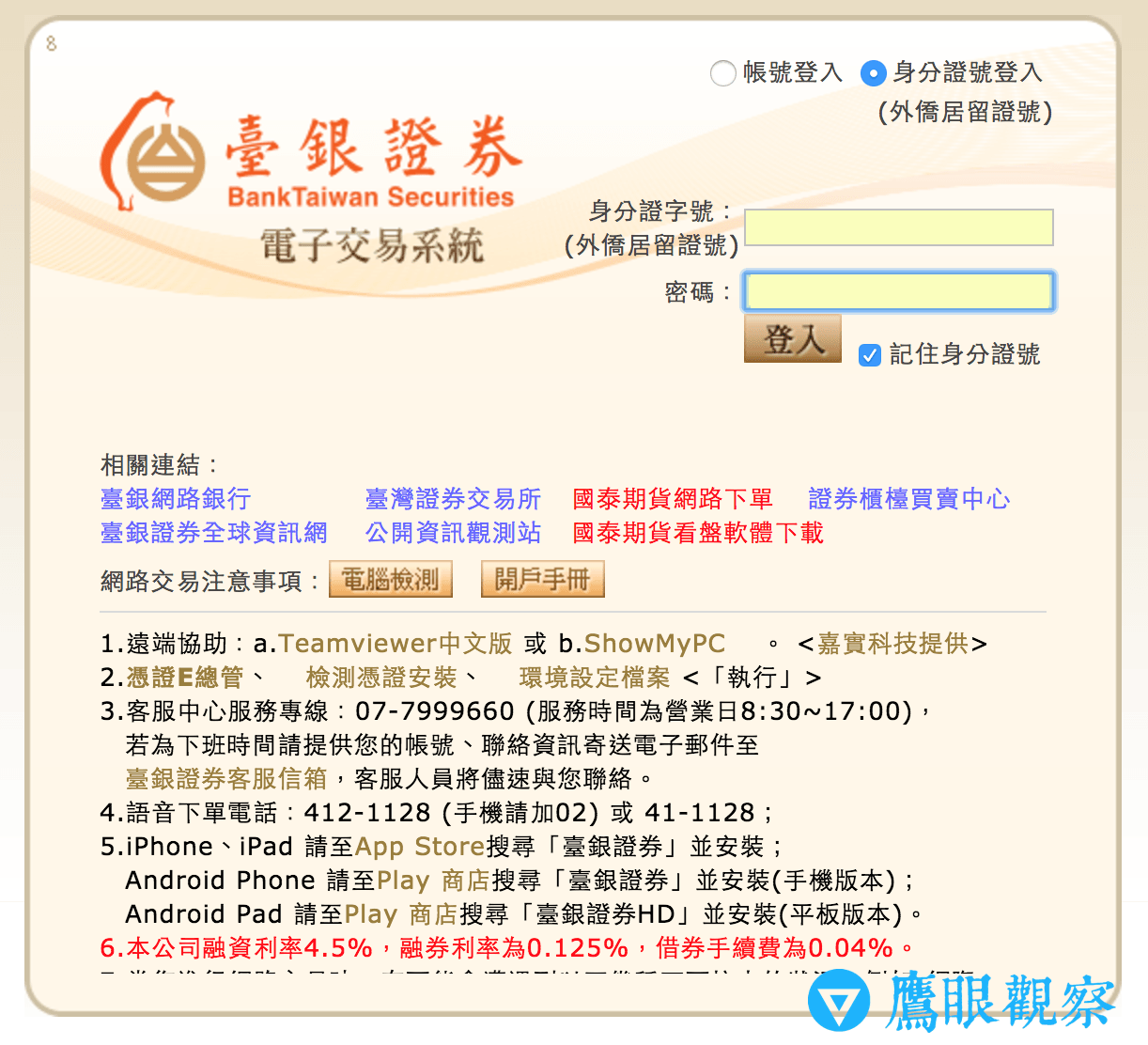 Figure 2: Bank of Taiwan Securities electronic trading login screen.
The only difference is that upon your first login after the update, the system prompts you to download the “Certificate e-Manager” plug-in component 2. Opening it after downloading displays the window shown in Figure 3 below.
Tip: In the past, certificate management at Bank of Taiwan Securities was handled directly through web browsers, which frequently failed due to operating system incompatibilities. The new system switches to a standalone utility program for verification, which offers a much cleaner and simpler design.
Basically, once you enter your brokerage account or ID number to log in, simply follow the on-screen prompts to complete certificate application and validation.
Remarkably, in the past when a certificate expired, users had to visit a Bank of Taiwan branch counter in person to reapply. This time—whether due to the redesign or updated policies—even an expired certificate can be renewed directly within Certificate e-Manager, saving quite a lot of hassle.
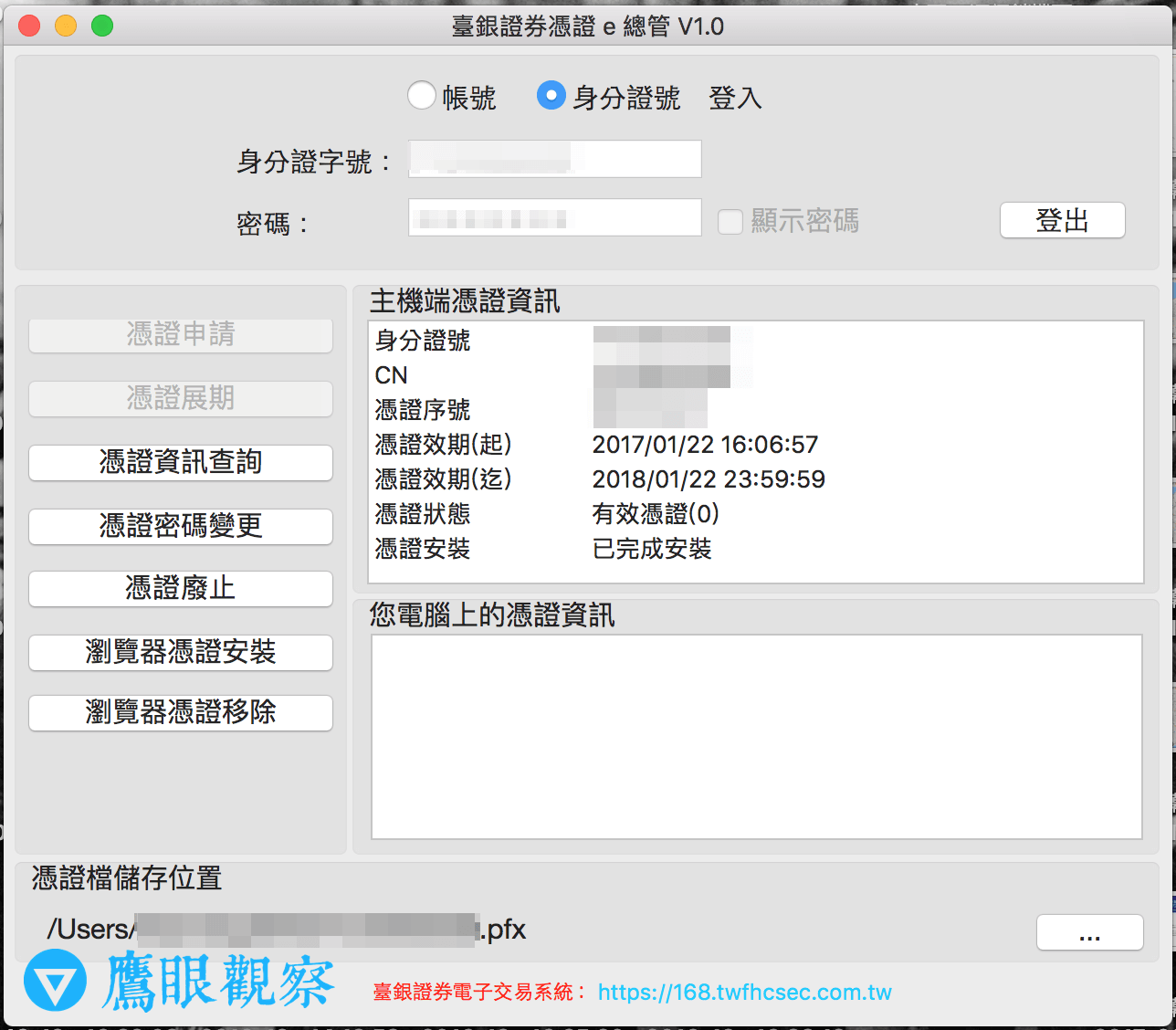 Figure 3: Standalone Certificate e-Manager application.
After completing certificate verification in Certificate e-Manager, close the application (on Apple macOS / OS X, you can directly trash the downloaded pkg installer file).
Next, you can enter the trading management console as shown in Figure 1.
Note that because Bank of Taiwan Securities has just launched the new platform, you will see two options at the top of the management screen: “Real-time Display 1” and “Real-time Display 2”.
As shown in Figure 4 below, Real-time Display 1 is the newly redesigned real-time stock quote and order entry system built with HTML5. Clicking it opens the brand-new real-time securities management and trading interface.
Tip: Perhaps because the new interface is unfamiliar, it initially feels slightly less intuitive than the legacy system and takes a bit of time to get used to.
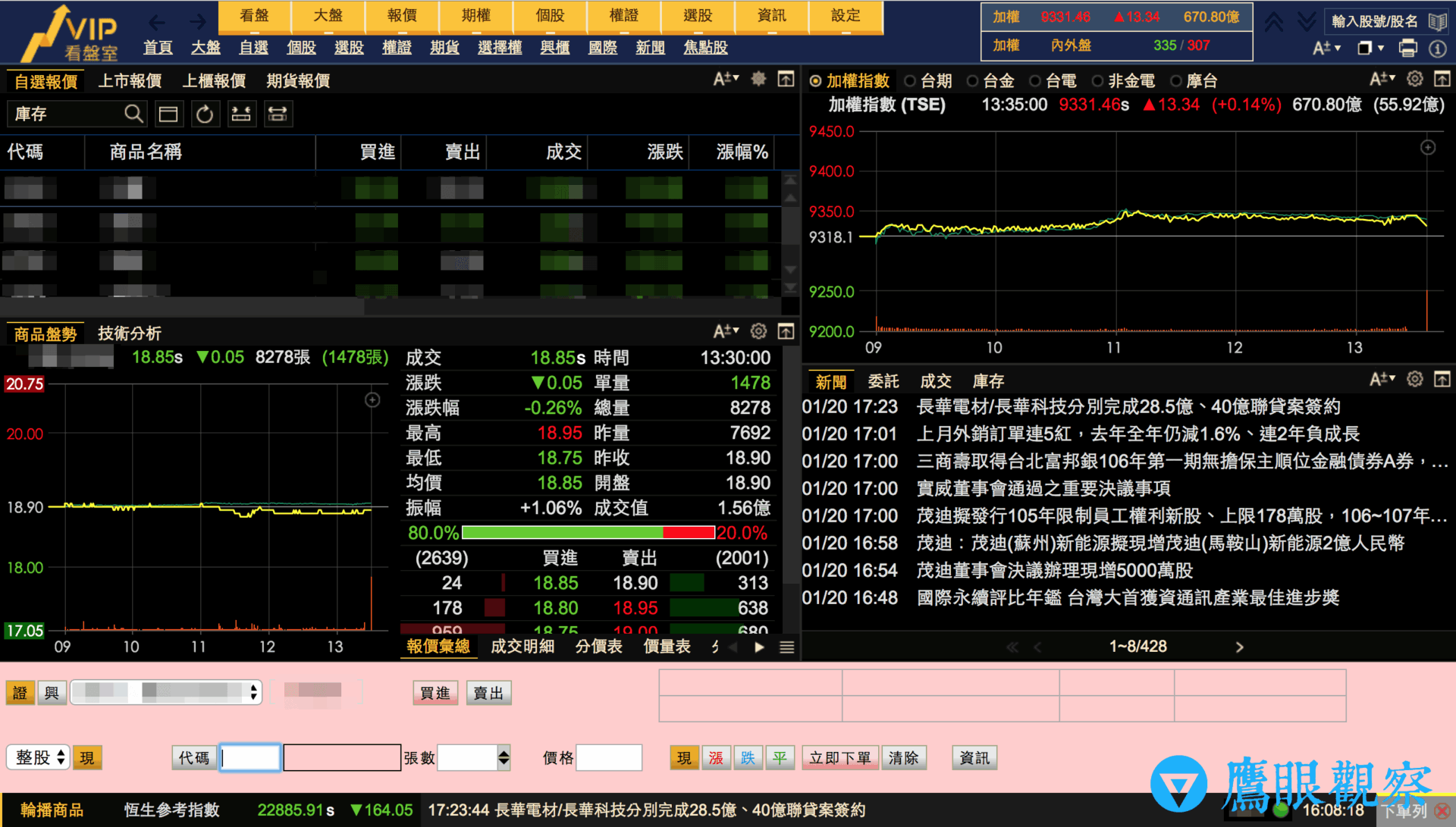 Figure 4: HTML5 version of the real-time quotes interface.
As shown in Figure 5 below, Real-time Display 2 remains the legacy system built on Microsoft Silverlight. If you were already accustomed to the legacy interface, choosing this option allows you to continue using it without having to learn the new layout right away.
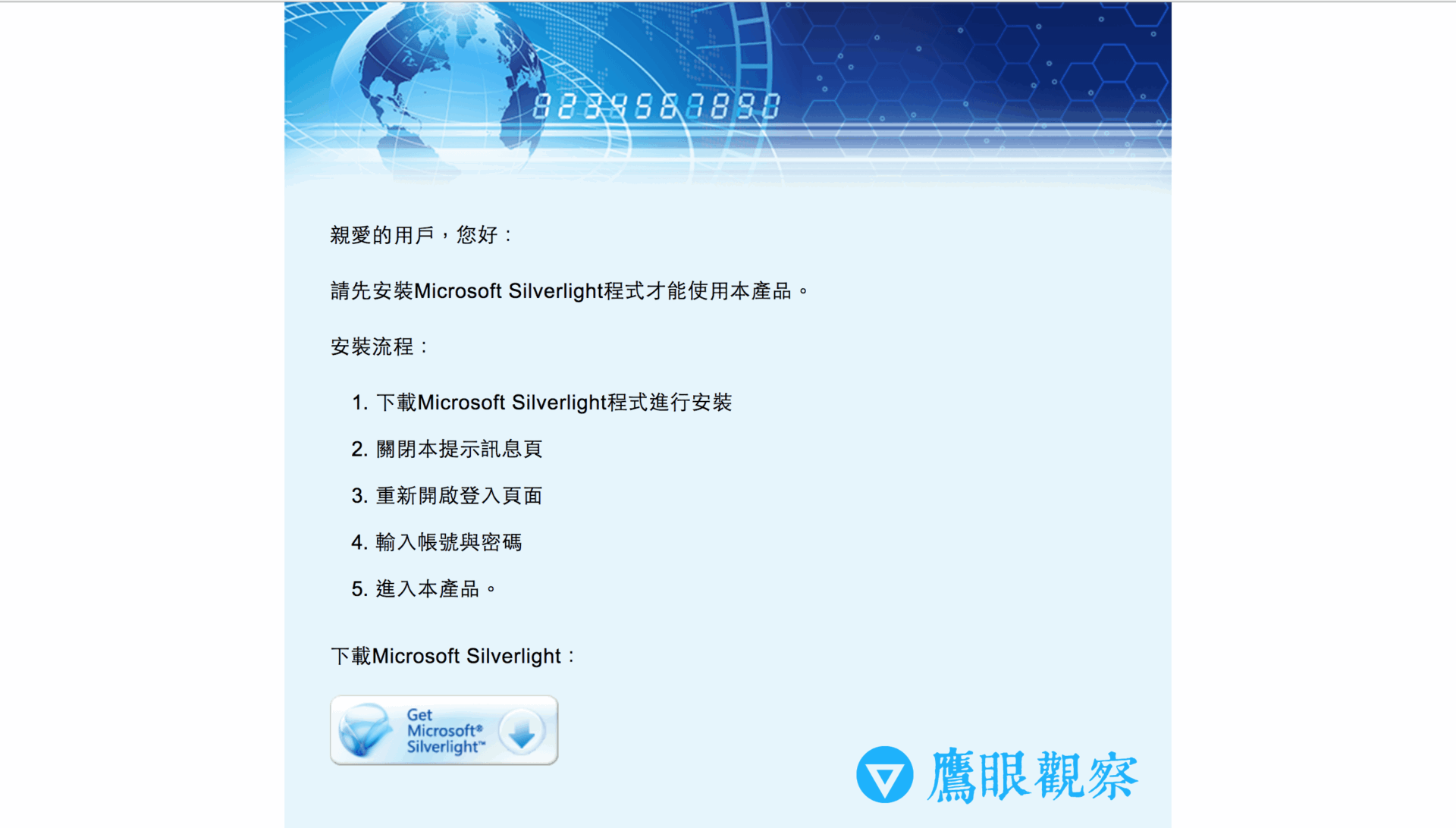 Figure 5: Real-time Display 2 still runs the legacy Silverlight-based system.
References
Support Independent Perspectives & In-Depth Insights
Every thoughtful analysis and candid critique comes from our dedication to truth and quality. We choose not to follow sensational algorithms or clickbait headlines.
Sustaining independent research requires reader support. Make a one-time or monthly contribution, securely processed by Google.
Payments secured by Google · Manage or cancel anytime in your Google Account




Comments