

As webmasters accumulate more domain names and servers, almost every independent developer and site owner confronts a classic architecture question:
If we purchase a domain
domain-a.comfrom Registrar A (such as GoDaddy, Namecheap, or Cloudflare), but choose Host B (such as Bluehost, SiteGround, or any cPanel virtual host) for better pricing, speed, or features, how do we route visitors accessingdomain-a.comsmoothly to the website hosted on Server B?
Taking it further, when you lease a shared hosting plan with ample resources and want to run multiple independent websites under a single account, or direct multiple alternate domains to a single brand portal, what is the fundamental difference between cPanel’s "**Parked Domains (Aliases)**" and "**Addon Domains**"?
This article breaks down the three standard methods for cross-provider domain pointing, unpacking the architectural differences, optimal use cases, and essential SEO and security guardrails for both approaches.
Three Standard Methods to Point a Domain Across Providers
When your domain registrar and web host are separate companies, you have three primary configuration paths:
- Full Domain Transfer:
Migrate domain registration management entirely from Registrar A to Host B (provided the hosting provider is an accredited ICANN registrar or reseller).
- Pros: Single dashboard and invoice for billing and annual renewal.
- Cons: Lengthy process (requires an EPP/Auth-Code from the original registrar and takes 5–7 days), potentially forfeiting flexible registrar-level DNS features.
- Delegating Nameservers (NS Delegation):
Keep the domain at your registrar, but change the nameservers to point directly to your hosting provider’s NS records (e.g.,
ns1.bluehost.com,ns2.bluehost.com).- Characteristics: Hands complete DNS Zone management over to the host’s cPanel. When you add subdomains or addon domains, the host automatically provisions corresponding DNS records.
- Retaining Registrar DNS and Manually Configuring A and CNAME Records (Recommended):
In your registrar’s DNS zone (or Cloudflare), create an A Record pointing the root domain
@andwwwdirectly to the server’s public IP address.
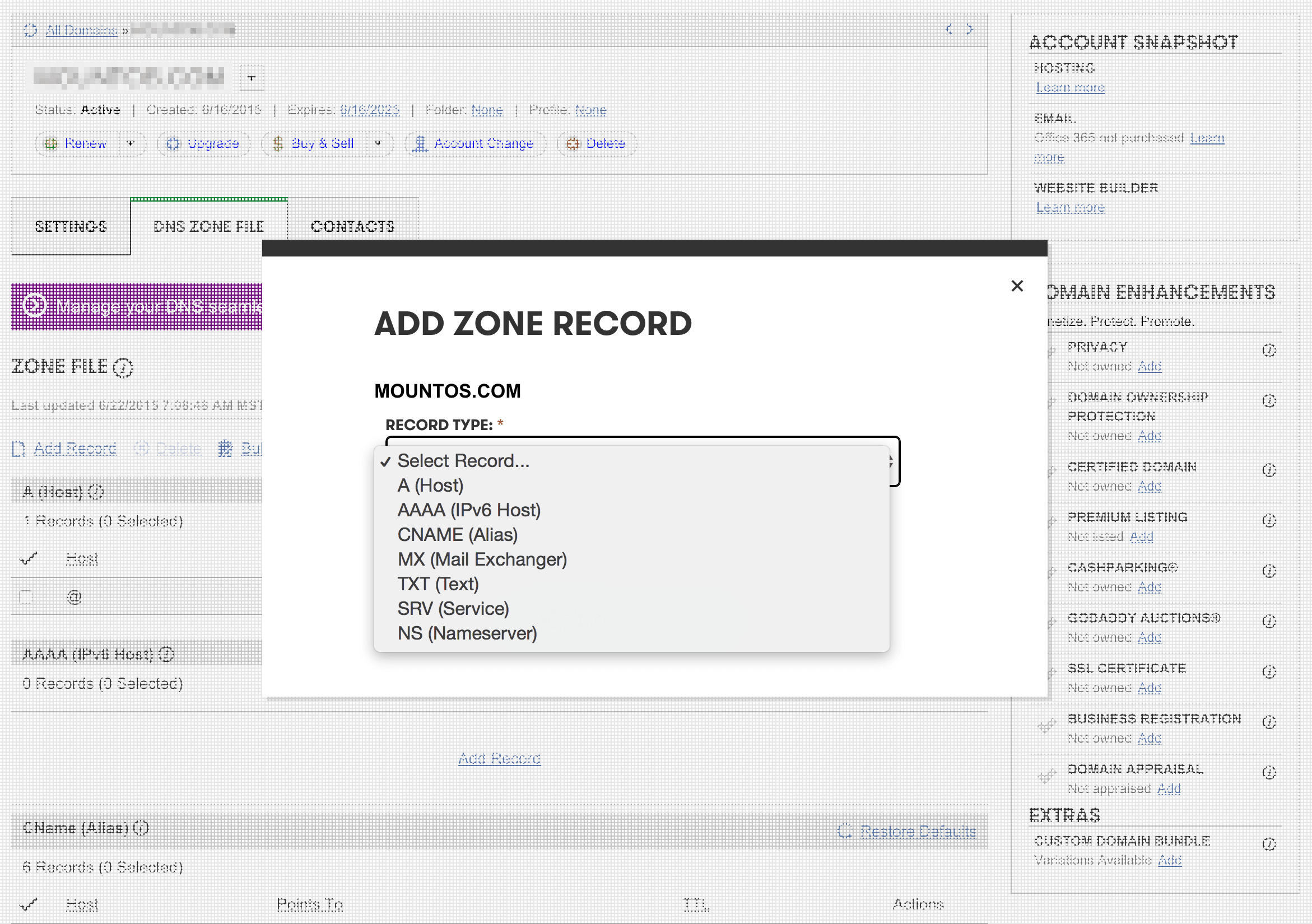
Configuring manual A records is the preferred approach for experienced engineers because it completely decouples the "**DNS resolution layer**" from the "**hosting storage layer**". If you migrate hosts or switch data centers in the future, updating an IP address in DNS takes minutes, bypassing the hassle of moving entire domain registrations.
This flexibility also depends on your hosting provider’s control panel. For instance, when testing budget VM providers like Hong Kong’s Hengchuang in the past, their management dashboards lacked Bluehost-style one-click domain assignments, requiring manual A-record routing externally and manual Nginx/Apache virtual host (VirtualHost) configuration on the server.
Core Comparison: Parked Domain vs. Addon Domain
Once DNS routes traffic to your server, you must assign how the web server handles the incoming hostname:
| Dimension | Parked Domain (Domain Alias) | Addon Domain |
|---|---|---|
| Document Root | Points to the primary account root (typically public_html/) | Points to a dedicated subdirectory (e.g., public_html/site-b/) |
| Displayed Content | Displays the exact same website and content as the primary domain | Serves a completely independent site; visitors cannot tell hosts are shared |
| Address Bar Behavior | Retains alias in address bar, or 301-redirects to primary domain | Stays on the addon domain cleanly throughout browsing |
| Primary Use Case | Defensive brand registration, typo capture, domain transitions | Multi-site hosting, maximizing shared hosting hardware utility |
| Database Architecture | Shares the same MySQL database and codebase as primary domain | Uses independent MySQL databases; allows separate WordPress installs |
1. What Is a Parked Domain (Domain Alias)?
Definition: Allows you to point one or more additional domain names directly to the existing root directory of your primary hosting account.
How it works:
Suppose your hosting account’s primary domain is aaa.com. You purchase bbb.com and add it as a Parked Domain.
- When a visitor types
aaa.cominto their browser, they see your primary site. - When a visitor types
bbb.com, they see that exact same website.
Three Common Use Cases for Parked Domains:
- Defensive Brand Registrations:
To prevent copycats or brand spoofing, companies often register.com,.net, ccTLDs like.com.tw, and common typos. Parking these alternate domains to the primary domain ensures visitors reach the authentic site regardless of what they type. - Domain Rebranding Transitions:
When migrating to a new brand domain, parking the legacy domain and pairing it with automatic server redirects preserves existing customer bookmarks and backlink equity. - Localized Mirror Routing.
2. What Is an Addon Domain?
Definition: Allows you to link an entirely separate domain name to a dedicated folder within your existing hosting account storage.
How it works:
You own aaa.com (primary domain) and bbb.com. You configure bbb.com as an Addon Domain, pointing its document root to public_html/bbb/.
- Visitors loading
aaa.comaccess files in the root directory. - Visitors loading
bbb.comload independent files located inpublic_html/bbb/. - Crucially: visitors see
bbb.comcleanly in their browser address bar, never seeing the underlying directory pathaaa.com/bbb/!
Core Benefit: Multi-Site Hosting on a Budget
For solo creators, freelancers, and small digital agencies, Addon Domains provide incredible cost savings. By leasing an intermediate shared hosting plan with Unlimited Websites on Bluehost or SiteGround, you can run five, ten, or dozens of independent WordPress blogs, portfolios, or staging sites under a single account. Each site gets its own MySQL database, unique FTP credentials, and separate corporate email accounts, all sharing the server’s CPU, memory, and storage allowance.
Two Critical SEO and Security Traps to Avoid
When implementing these features, be mindful of architectural side effects:
1. Parked Domain SEO Danger: Duplicate Content
If you park bbb.com onto aaa.com without server-level redirection, search engine bots will index two distinct URLs serving identical content.
This triggers Google’s "**duplicate content penalty**", confusing ranking algorithms regarding which URL is canonical and diluting your search authority.
- The Solution: Add a 301 Permanent Redirect in
.htaccessto force all alias traffic onto your canonical primary URL:RewriteEngine On RewriteCond %{HTTP_HOST} ^bbb\.com$ [NC,OR] RewriteCond %{HTTP_HOST} ^www\.bbb\.com$ [NC] RewriteRule ^(.*)$ https://aaa.com/$1 [L,R=301]
2. Addon Domain Security Risk: Shared User Permissions
While Addon Domains appear as isolated websites to visitors, at the OS level, all sites run under the same Linux user account.
This means if an addon site bbb.com is compromised via an outdated WordPress plugin with a WebShell backdoor, an attacker can traverse directories to read wp-config.php on your primary site aaa.com, exposing database passwords.
- Best Practice: Keep mission-critical business portals separated from experimental staging blogs or client projects. Isolate core revenue properties on separate hosting accounts or dedicated VPS instances rather than lumping them into a single shared environment.
Support Independent Perspectives & In-Depth Insights
Every thoughtful analysis and candid critique comes from our dedication to truth and quality. We choose not to follow sensational algorithms or clickbait headlines.
Sustaining independent research requires reader support. Make a one-time or monthly contribution, securely processed by Google.
Payments secured by Google · Manage or cancel anytime in your Google Account




Comments